
VINELink
VinelinkBooks & Reference
3.61.34K Reviews
- Version
- 2.37
- Installs
- 1.00M
- Age Rating
- Everyone
Screenshots
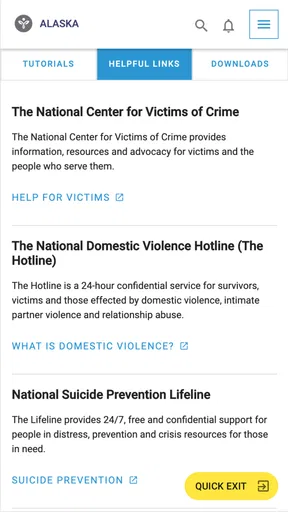
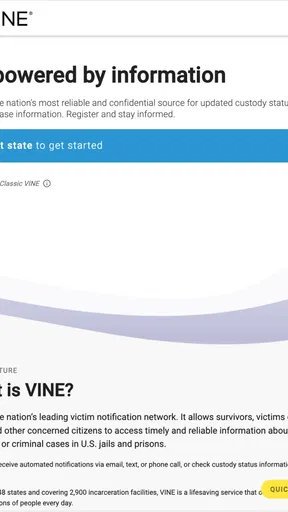
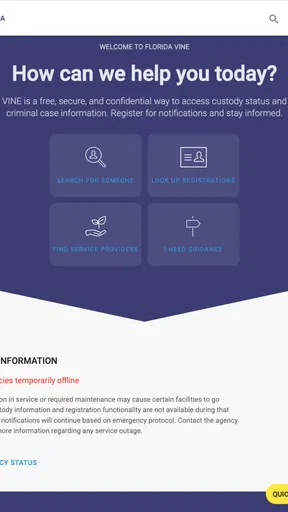
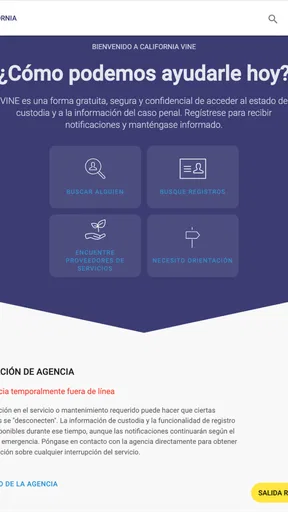
Our Review of VINELink
 Analysis by Appyee
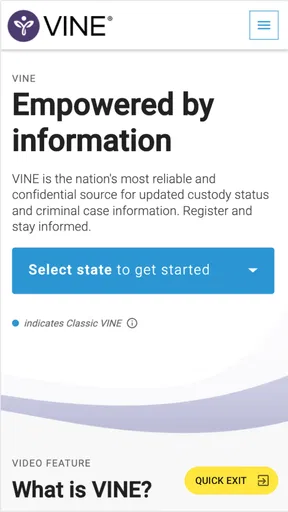
When I need to check information about someone involved in the correctional system, I want a direct source rather than a general web search that mixes official records with outdated pages. That is where VINELink fits. It is the mobile version of VINE, the National Victim Notification Network, developed by Vinelink for people who need access to victim-notification information from a phone.
I see it as a practical reference tool rather than a traditional reading app, even though it sits in the Books & Reference category. It is free, available to everyone, and its purpose is focused: help users search for relevant custody information and stay connected to notification services where those services are available. That narrow purpose is also its main strength. You do not open it for entertainment or casual browsing; you open it because a specific piece of information matters.
My overall impression is useful but measured. The app has been available since Apr 22, 2013, and its current version is 2.37. It has passed over one million installs, with a 3.6 average from around 6,100 ratings and roughly 1,300 written reviews. Those figures suggest a widely used tool that people often find valuable, while also showing that the experience is not universally smooth. I would recommend it to someone who needs an official notification-oriented workflow, but I would not treat it as a replacement for every court, jail, prison, or corrections website.
How I use VINELink in a normal situation
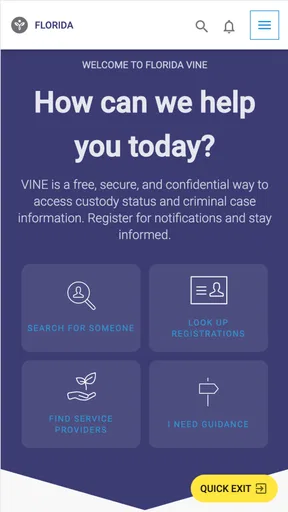
The basic workflow starts with a clear reason for opening the app. If I am trying to locate a person or check a custody-related status, I first gather the details I already know instead of searching randomly. A name, a case-related identifier, or the relevant jurisdiction can make the search much more useful. Entering partial information and hoping the correct result appears can create confusion, especially when several people have similar names.
Once I find a possible match, I slow down and compare the available identifying details before relying on it. This is an important habit with any public-record search tool, but it matters even more here because an incorrect match could cause unnecessary worry. VINELink is helpful for narrowing the search, not for replacing careful judgment. I would never assume that the first similar name is automatically the right person.
The app makes the most sense when I treat it as a repeatable check rather than a one-time search. For example, imagine a family member wants to know whether a person’s custody status has changed. I would search using the most reliable information available, review the result carefully, and then use the notification-related options offered for that record if appropriate. Later, I would return to the app instead of repeatedly searching the whole internet.
That approach also keeps expectations realistic. A notification network can be extremely important, but it is not the same thing as a live conversation with a facility or a legal advisor. If the situation is urgent, I would contact the relevant authority directly as well. VINELink can support a personal information routine, but it should not be the only step when someone’s immediate safety, release conditions, court appearance, or legal rights are involved.
One detail I appreciate is that the app is designed around a specific need instead of surrounding the search with unrelated reading. The interface is not trying to become a social network, news feed, or general reference library. That focus helps when I am stressed and want to get to the relevant record quickly. At the same time, users who expect detailed case explanations or a complete legal history may find the experience narrower than they hoped.
What I check before trusting a result
I look at the jurisdiction first. Correctional and victim-notification information can depend heavily on the location involved, so selecting the correct area is more important than simply typing a name. If I am helping another person, I ask where the custody event or case is connected before beginning. This small step prevents a lot of wasted searches and reduces the chance of treating a result from the wrong area as relevant.
I also keep a note of when I checked the information, especially if the situation is developing. A status can change after I leave the app, and a saved memory of an earlier result should not be mistaken for a current update. This is one of the most useful habits for experienced users: record the context of a search, not just the person’s name.
Another practical tip is to search with the least ambiguous information first. If I have an identifier that clearly distinguishes one record, I prefer it over a broad name search. If I only have a name, I compare every available detail before proceeding. This is not a special feature; it is a better way to use the information the app already asks me to provide.
I would also avoid making repeated searches while changing several fields at once. If the result changes, I want to know which adjustment made the difference. Testing one search refinement at a time creates a clearer trail and makes it easier to explain the process to a family member who may need to repeat it later.
Settings and notification habits worth checking
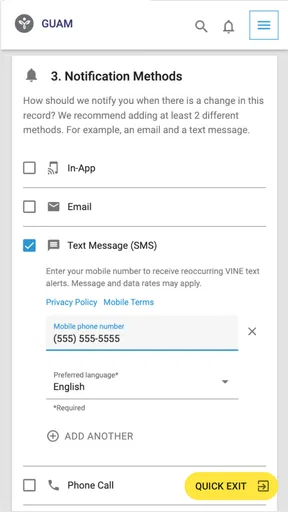
The most important part of the experience is not a decorative setting but the notification workflow connected to a record. When the app presents an option to receive relevant updates, I read the wording carefully and make sure the contact details are correct before confirming. A notification is only useful if it reaches the right person and can be recognized when it arrives.
I recommend checking the phone’s notification permissions and notification behavior after setting up an alert. The app cannot be useful as an alert channel if the operating system silences it, blocks its notifications, or places them somewhere I never look. I also keep the notification sound and lock-screen visibility appropriate for the situation, since sensitive information may appear on a shared or visible device.
This is a subtle trade-off. More visible alerts can make important changes easier to notice, but they can also expose private information to someone nearby. I would choose the phone settings based on who can access the device, not simply on convenience. If privacy is a concern, I would review notification previews and use a device lock rather than assuming the app alone controls what appears on screen.
I also check that my contact method remains current. People often change phone numbers, replace devices, or stop using an old email address, and a notification service cannot compensate for outdated contact information. If I am setting this up for someone else, I ask them to confirm that they can access the chosen channel before considering the workflow complete.
There is another useful boundary to remember: notification enrollment is not the same as subscribing to every possible event everywhere. The information available can depend on the particular jurisdiction and record. I therefore read the confirmation screen and any explanatory text instead of assuming that one setup covers every future situation. This is one place where patience is more valuable than speed.
Faster patterns for repeat searches
For occasional use, the straightforward search is enough. For repeated use, I create a small personal routine outside the app. I keep the correct jurisdiction and the identifying details in a private note, using only information I am comfortable storing. That reduces typing and lowers the chance of entering a similar name incorrectly when I am tired or upset.
I do not rely on screenshots as my only record. A screenshot can preserve what was visible at one moment, but it may not explain when the search occurred or whether the information later changed. I prefer a short note with the date of my check, the jurisdiction, and the action I took. I keep that note secure because the subject matter can be sensitive.
A second efficient pattern is to separate searching from interpreting. First I locate the likely record. Then I read the status and notification information carefully. Finally I decide whether I need to contact an authority, inform a family member, or simply wait for an update. Doing these steps in order keeps me from reacting to a partial search result before I have checked its context.
If I am helping someone who is not comfortable with mobile apps, I do a practice run with them when the situation is calm. I show them how to identify the right jurisdiction, how to distinguish a likely match, and where to look for notification information. This is more useful than handing over the phone during a crisis and expecting them to learn the workflow immediately.
I also avoid opening multiple unofficial search pages alongside the app unless I have a clear reason. General search engines may surface old articles, third-party databases, or unrelated people with similar names. VINELink is not automatically the answer to every question, but keeping the official notification-oriented search as the starting point reduces the noise that often makes these situations harder.
For personal safety, I would not use the app in a way that announces someone’s location or status to a broad audience. I share only what the person needs to know, and I avoid posting sensitive results publicly. The app’s usefulness is greatest when it supports a controlled, private information workflow rather than becoming a source of speculation.
Where the app reaches its limits
My biggest caution is that VINELink should not be treated as a universal corrections database. Its role is tied to the VINE notification network, so the experience depends on the jurisdiction and the information connected to that network. If I cannot find what I need, I do not automatically conclude that nothing happened. I consider whether the search details are correct and whether another official channel is more appropriate.
This is also why I would not use it as a substitute for a court docket, a lawyer, a probation officer, or a facility’s direct contact process. Someone looking for hearing dates, complete filings, sentencing explanations, visitation rules, or legal advice may need a different source. VINELink can be a valuable part of the process, but it is not designed to answer every question that follows a custody event.
The rating of 3.6 reflects the mixed reality I felt while evaluating its role. The concept is important and the focused purpose is clear, yet users may encounter friction when information is difficult to interpret, when a search depends on local coverage, or when an update does not arrive in the way they expected. I would judge it by whether it supports the specific notification task I need, not by expecting the polish of a shopping or messaging app.
Another limitation is emotional rather than technical. People often open this kind of app during frightening or exhausting circumstances. A result that is technically accurate can still feel incomplete if I do not understand what it means in practical terms. I take time to read the wording, avoid guessing, and seek clarification from the responsible authority when the consequences matter.
Users who want a broad educational reference library should probably choose another Books & Reference app. This one is not a general encyclopedia, a legal textbook, or a news reader. Likewise, people who only want a simple directory may prefer a local official website if that site provides the exact information they need more directly. The advantage here is the connection to a national victim-notification network, not breadth in every reference category.
Compatibility is straightforward for many Android users because the current release supports Android 7.0 and later. I would still check the device before depending on it in an urgent situation. Installing it ahead of time, signing in or configuring relevant options when appropriate, and learning the basic search flow are all better than discovering compatibility or notification problems at the moment information is needed.
Who will benefit most from it
I think VINELink is best for victims, relatives, advocates, and other users who need a focused way to search for connected custody information and consider notification options. It is especially useful for someone who wants a repeatable mobile routine rather than relying on memory, scattered web searches, or phone calls made without the necessary details.
It can also help a person support someone else. A trusted family member might perform the initial search, confirm that the correct record was selected, and help the person affected choose a sensible notification method. In that role, the app becomes less about convenience and more about reducing the number of steps a stressed user has to manage alone.
I would skip it if my main goal were legal research, complete case documents, broad criminal-justice news, or a general collection of books and reference material. I would also look for a different official source when I need immediate confirmation for a time-sensitive legal or safety decision. The right alternative depends on the question, but the key distinction is simple: use this for its notification-network purpose, not as a catch-all authority.
The fact that it is free removes one practical barrier, and the Everyone age rating makes it accessible to a broad audience. That does not mean every screen or result will be easy for every person to understand. Younger users and anyone unfamiliar with correctional terminology may still need help interpreting what they see, and sensitive situations deserve adult guidance when appropriate.
My verdict after building a repeatable workflow
After using the app as a focused reference tool, I see its value in the combination of a clear purpose and a mobile workflow. I search carefully, verify the jurisdiction and identity details, review notification choices, check the phone’s alert behavior, and keep a private record of when I looked. Those habits make the experience more dependable than simply opening the app and typing a name whenever anxiety rises.
The trade-off is that the app cannot remove the uncertainty built into local records, changing custody situations, or complicated legal processes. It may point me toward useful information without explaining every consequence. That is not a reason to dismiss it; it is a reason to use it alongside the appropriate official or professional source when the question goes beyond notification.
With over one million installs, VINELink is clearly serving a substantial audience, but popularity alone is not what makes it worthwhile. I recommend it because it addresses a serious, specific need and can turn repeated checking into a more organized habit. I would install it before I need it, review its notification behavior, and teach anyone relying on it how to confirm a result rather than trusting a name match.
My final recommendation is therefore positive with clear boundaries. If you need the mobile VINE experience for searching and notification-related tasks, this free app is worth trying. If you need full legal records, immediate human confirmation, or a broad reference library, pair it with a more suitable source. VINELink works best when treated as one careful step in an information and safety routine, not as the entire answer.
Verdict
Strengths of VINELink
- Searches cover many U.S. states and participating agencies.
- Users can save offender details for quicker access later.
- Release-status information is presented in a straightforward format.
- The app can help families monitor custody changes remotely.
- Free access makes basic victim notifications widely available.
Limitations of VINELink
- Coverage varies by jurisdiction, so some records may be missing.
- Information updates can be delayed after court or custody changes.
- Requires personal details that may feel sensitive to enter.
- Notification availability differs between agencies and regions.
- The interface may feel dated compared with newer safety apps.
Similar Picks in This Category
View All
Google Play Books & Audiobooks
Google LLC4.7

네이버 - NAVER
NAVER Corp.3.5

Wattpad - Read & Write Stories
Wattpad.com3.7

King James Bible - Verse+Audio
Ozion4.8

Bible Offline-KJV Holy Bible
Bíblia Offline4.9

Amazon Kindle: Reading App
Amazon Mobile LLC4.8
Frequently Asked Questions
What is VINELink and what is it used for?
VINELink is an online and mobile service that helps people search for information about offenders in participating U.S. states and territories. Depending on the jurisdiction, users may be able to view custody status, facility details, scheduled release information, or related case updates. It can also allow eligible users to register for notifications when an offender’s status changes.
Is VINELink available in every state and does it show all offender records?
No. VINELink coverage depends on the state, county, correctional agency, and the type of records shared with the service. Some jurisdictions provide extensive custody information, while others may offer limited data or no online results. A missing record does not necessarily mean that a person is not incarcerated, so users should contact the relevant local agency for confirmation.
How do I search for someone on VINELink?
Open VINELink, choose the appropriate state or participating jurisdiction, and enter the available identifying information, such as the person’s name or offender identification number. Search results can vary depending on spelling, aliases, and the quality of the information provided. Reviewing multiple possible matches carefully is important before selecting a record or subscribing to notifications.
Can VINELink send notifications about an offender’s release or status change?
In participating jurisdictions, VINELink may let users register for notifications by phone, text message, email, or other available methods. Notifications can relate to events such as release, transfer, escape, or changes in custody status, but the options differ by location. Users should follow the registration instructions carefully and keep their contact information current.
Is the information on VINELink accurate and suitable for legal or emergency decisions?
VINELink is a useful public-information and notification service, but its records are supplied by participating agencies and may not update instantly. Information can change quickly, and notification delivery cannot always be guaranteed. The app should not replace official court, correctional, or law-enforcement sources. For emergencies or urgent safety concerns, contact local authorities directly rather than relying only on VINELink.
